PM Youth Programme: How to Apply for 500,000 Free Chromebooks
Applicants must meet education board requirements and have their records verified.
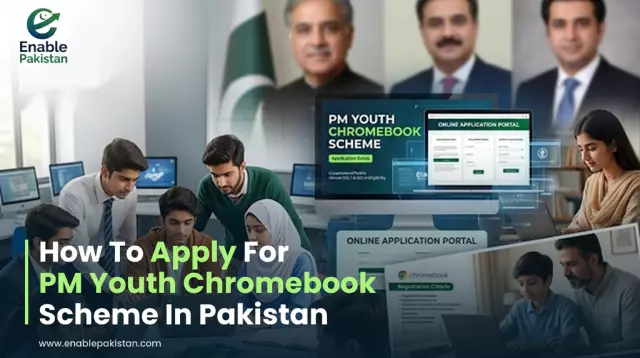
The Prime Minister’s Youth Programme has officially announced the distribution of 500,000 free Chromebooks to support digital learning for high-achieving government school students across Pakistan.
If you are a student or parent looking to apply under this scheme, here is a complete guide covering eligibility criteria, required documents, and the step-by-step online application procedure.
Who Can Apply? (Eligiblity Criteria)
Eligibility for the PM Youth Free Chromebook scheme depends on your educational board region and academic performance:
• Punjab, Sindh, KPK & Balochistan: Top-performing Grade 9 (SSC-I) students enrolled in Government schools.
• Islamabad (ICT), Azad Jammu & Kashmir (AJK), & Gilgit-Baltistan (GB): Top-performing Grade 9 (SSC-I) and Grade 10 (SSC-II) students in Government schools.
Note: Private school students are not eligible for this scheme.
Required Documents for Application
Before beginning your online application, ensure you have clear scanned copies of the following documents. Each file size must be under 300 KB:
1. Attested B-Form or CNIC: Student's official identification document.
2. Attested Father/Guardian CNIC: Copy of the father or legal guardian's CNIC.
3. Mark Sheet: Official Grade 9 or Grade 10 result card/marksheet issued by your respective education board.
4. Passport Photo: Recent passport-size photograph of the student.
Important Instructions & Deadlines Step-by-Step Procedure to Apply Online
Follow these steps carefully to submit your application on the official IBCC portal:
1. Visit the Official Portal: Go to the official application portal at https://pmychromebooks.ibcc.edu.pk.
2. Enter Personal Details: Fill in the student's full name, B-Form / CNIC number, Date of Birth, and school details exactly as registered with your educational board.
3. Provide Academic Info: Select your respective Educational Board (BISE / FBISE), Roll Number, and Grade.
4. Upload Scanned Documents: Attach the 4 required files (B-Form, Guardian CNIC, Marksheet, Photo). Ensure every file is less than 300 KB.
5. Review Before Submitting: Double-check every detail carefully.
The application form cannot be edited or modified after submission.
6. Submit & Save Receipt: Click the Submit button and print or save your tracking confirmation receipt for future reference.
Important Instructions & Deadlines
• One-Time Submission: Re-check your Roll Number, B-Form, and Date of Birth before submitting, as duplicate or modified entries are not allowed.
• Application Deadline: The final deadline will be announced by individual education boards (BISE). Apply early to avoid server traffic.
Frequently asked questions
How many Chromebooks are planned?
The programme plans to distribute 500,000 Chromebooks.
Who can apply?
Eligible, high-performing students from government schools can apply.
What is the official link to apply for the free Chromebook scheme?
Students can submit their applications online through the official IBCC portal at [https://pmychromebooks.ibcc.edu.pk](https://pmychromebooks.ibcc.edu.pk)
Can I edit my application after submitting it?
No, application forms can only be submitted ONCE and cannot be edited or updated after final submission.
- #Enable Pakistan 22
- #PM Youth Programme
- #PM Youth Chromebook
- #Chromebooks Pakistan
- #government school students
- #student laptops Pakistan
Written by
Enable PakistanGet stories like this in your inbox
The day's top stories, every morning. Free, unsubscribe any time.